|
|
|
|---|
Showing posts with label blog. Show all posts
14 Steps To Accelerate Web Access
There is a way to speed up your web pages. This method has been tested in several popular sites on the Internet and managed to reduce the response time is 25-50 percent faster times.
The best trial is the realization of 10-20 percent in order to reduce the response time of the end of the HTML document in the browser. You need to focus on the 80-90 percent if you want to make the page more quickly. This can only be the fastest way if the server and your browser is already optimal. Server and 80-90 percent of the browser role your Web access speed.
Management of our website aims to show the best. Each way also contains a link to the Yahoo! Developer Network Performance Blog. There you will find a number of ways with his comments.
Method 1 - Create a display HTTP requests
Method 2 - Use a Content Delivery Network
Method 3 - Add Expires Header
Method 4 - Gzip Components
Method 5 - Put Stylesheets at the top
Method 6 - Put Scripts at the bottom
Method 7 - Avoid CSS expressions
Method 8 - Make JavaScript and CSS External
Method 9 - Reduce DNS Lookups
Method 10 - Use the minimum necessary JavaScript
Method 11 - Avoid Redirects
Method 12 - Remove double Scripts
Method 13 - Configure ETags
Method 14 - Create AJAX Cacheable
"curiosity is motivation"
"letz share coz i only ask for information"
= = = = = = = = = = = = = = = = = = = = = = = =
[ indonesian translation ]
14 Langkah Mempercepat Akses Website
Ada cara agar bisa mempercepat halaman web anda. Cara ini telah diuji disejumlah situs populer di Internet dan berhasil mengurangi waktu respon 25-50 persen kali lebih cepat.
Percobaan terbaik merupakan realisasi dari 10-20 persen respon waktu akhir agar menggurangi dokumen HTML pada browser. Anda perlu berfokus pada 80-90 persen lainnya jika anda ingin membuat halaman lebih cepat. Ini hanya bisa menjadi jalan tercepat apabila server dan browser anda memang sudah optimal. Server dan browser memegang peran 80-90 persen kecepatan akses web anda.
Pengelolaan halaman bertujuan menampilkan situs web terbaik. Setiap cara juga berisi link ke Yahoo! Developer Network Performance Blog. Di sana anda akan menemukan sejumlah cara dengan komentarnya.
Cara 1 - Buat tampilan permintaan HTTP
Cara 2 - Gunakan Content Delivery Network
Cara 3 - Tambahkan Expires Header
Cara 4 - Komponen Gzip
Cara 5 - Letakan Stylesheets di atas
Cara 6 - Tempatkan Scripts di bawah
Cara 7 - Hindari ekspresi CSS
Cara 8 - Buat JavaScript dan CSS External
Cara 9 - Kurangi DNS Lookups
Cara 10 - Gunakan seminim mungkin JavaScript
Cara 11 - Hindari Redirects
Cara 12 - Buang Scripts ganda
Cara 13 - Konfigurasi ETags
Cara 14 - Buat AJAX Cacheable
"curiosity is motivation"
"letz share coz i only ask for information"
How to Install and Use PayPal Icon to Receive Payments on Your Site
#step 1
Open the front page of the PayPal site, click the link Log in
#step2
Click the Merchant Services tab
#step 3
Once the page is open, you can choose the desired features like PayPal Shopping Chart, Buy Now Buttons, Other Leading Charts, Subscriptions & Recurring Payments, Donations, Gift Certificates and others.
#step 4
Next.. select any one of these features for use on the web or your blog.
You also can select the desired icon, do a little setting button, then the Create Buttons
#step 5
Next.. copy the HTML code and post it on your web or blog.
= = = = = = = = = = = = = = = = = = = = = = = =
[ indonesian translation ]
Bagaimana Cara Install dan Menggunakan Ikon PayPal untuk Menerima Pembayaran di Situs Anda
#langkah 1
Buka halaman depan situs PayPal, klik link Log in
#langkah 2
Klik tab Merchant Services
#langkah 3
Setelah halaman ini terbuka, Anda bisa memilih fitur-fitur yang diinginkan seperti PayPal Shopping Chart, Buy Now Buttons, Other Leading Charts, Subscriptions & Recurring Payments, Donations, Gift Certificates dan lain-lain.
#langkah 4
Selanjutnya pilih saja salah satu fitur tersebut untuk di gunakan di web atau blog Anda. Anda juga bisa memilih icon yang diinginkan, melakukan sedikit setting tombol, selanjutnya Create Buttons
#langkah 5
Selanjutnya Anda copy kode HTML dan pasang di web atau blog Anda.
"curiosity is motivation"
"letz share coz i only ask for information"
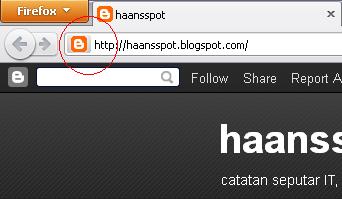
How to Make Icon for URL (Favicon)
Favicon is small icon at address bar url, it can be bookmark icon if the downloaded website has favicon, the size of favicon is 16 x 16 pixel
How to add favicon to the website? just upload it to root directory with name "favicon.ico"
or put HTML tag below between header
= = = = = = = = = = = = = = = = = = = = = = = =
[ indonesian translation ]
Bagaimana Cara Membuat Icon pada URL (Favicon)
Favicon adalah icon kecil yang ada di url address bar, bisa juga masuk dalam daftar bookmark jika kita mem bookmark suatu situs yang mempunyai Favicon, untuk ukurannya favicon sendiri adalah 16 x 16 pixel.
Cara pemasangannya bisa anda Upload dan letakkan di direcrtory root dengan nama "favicon.ico"
atau bisa juga letakkan tag di bawah ini dalam header anda
"letz share coz i only ask for information"
Youtube Video on Website
Did you ever see a website with additional video from youtube? Hmm ... look good right? You can add it by adding an HTML script to embed the video, how?
You go to Youtube.com
1. Search videos you want
2. After that copy the embed code
3. Paste on your web page
= = = = = = = = = = = = = = = = = = = = = = = =
[ indonesian translation ]
Menampilkan Video Youtube di Website
Apakah anda pernah melihat suatu website dengan tambahan video dari youtube? Hmm... terlihat bagus kan? Anda bisa menambahkan nya dengan cara menambahkan script HTML embed video tersebut, caranya?
Anda buka Youtube.com
1. Search video yang anda inginkan
2. Setelah itu copy code embed nya
3. Paste di halaman website anda
"curiosity is motivation"
"letz share coz i only ask for information"
Subscribe to:
Posts (Atom)


